Most websites look great in a mockup and fall apart the moment a real user clicks through them. That gap between how a site looks and how it works is exactly where the web design vs UX debate begins.
Believe it or not, web design and UX design are not the same thing.
Web design deals with the visual side, including layouts, colours, typography, and the overall look of a website. UX, on the other hand, focuses on how a user feels moving through that site, from the first step to the end.
This article breaks down how web design and user experience relate to each other. We’ll look at where they clash, and how to get the balance right for your audience.
Let’s get into it.
Web Design vs UX: Why the Debate Keeps Coming Up

As we mentioned before, web design and UX are two different disciplines that solve separate problems. It’s easy to get them mixed up, so here’s a quick definition: Web designers focus on how a site looks, while UX designers focus on how well it works for the people using it.
Picture a restaurant that looks stunning, with beautiful lighting, gorgeous furniture, and a menu that reads like a work of art. But the food arrives cold, the service is slow, and nobody can find the bathroom. That is what happens when web design gets all the attention and website usability gets ignored.
That difference initially shows up in the numbers. Research found that 88% of users are less likely to return to a site after a poor experience. In this case, web design draws people in, but UX design is what keeps them there.
This distinction is the first step toward building something that works for your target audience.
What Good UI Design Looks Like in Practice
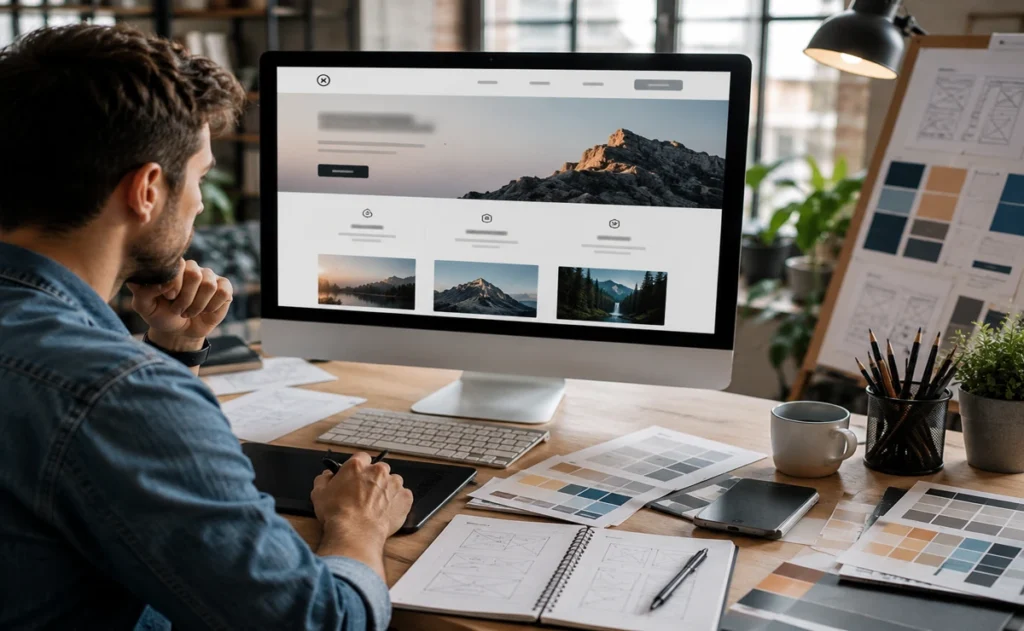
When UI design is done well, visitors spend more time on your site and leave with a better impression of your brand. Good UI keeps layouts clean, fonts readable, and colour choices consistent throughout. It is the visual layer users interact with first, and when it works well, the experience feels effortless.
The biggest factors behind that effortless feeling are explained below:
Visual Hierarchy and the Design Process
Ever noticed how your eye goes straight to certain parts of a page without thinking about it? That is visual hierarchy doing its job. It uses size, contrast, and spacing to direct attention across a page in a specific order to guide users toward the information architecture that serves them best.
Here, the design process starts with wireframes before any colours or fonts are chosen. Skipping this step is where things go wrong. Without a clear structure in place, graphic design decisions end up layered on top of a shaky foundation, and the final product suffers for it.
How UI Designers Influence First Impressions
Visitors form an opinion about a website within 50 milliseconds of landing on it (that’s a fraction of a second!). That’s why UI designers use colour psychology and typography to set the right tone immediately.
A well-built interface also considers accessible design from the start. Screen readers, text labels, and clear interaction patterns all contribute to user engagement across a wider range of users. A polished interface builds trust and sets a professional tone before a word is read.
And once that first impression lands, the real work of keeping users on your site begins. After all, users tend to favour websites that feel simple and familiar from the outset, according to Google Research.
User Experience Design Tips That Hold Up
Small UX improvements can meaningfully reduce bounce rates and keep visitors moving toward the actions you want them to take. And most usability issues come down to a handful of fixable problems, and spotting them early saves a lot of rework.
These are the user experience design tips worth building into your process:
- Start with User Research: Good UX design begins with understanding what your visitor needs before a single screen is designed. User personas and visitor surveys help you build a clear picture of your target audience early in the process.
- Reduce Clicks to Main Information: Every extra click between a user and their goal is a chance for them to leave. Improving user flows and simplifying site navigation directly improves user satisfaction across the board.
- Run Usability Testing Early: Usability testing with real visitors reveals problems that designers often overlook internally. User feedback from even a small round of audience testing can surface usability issues that no amount of internal review will catch.
- Track User Behaviour on Site: Watching how people move through your web pages shows you where they drop off. Tools that track user behaviour (like Hotjar) give you relevant data to improve time spent on site and push visitors toward desired actions.
Running through these steps regularly keeps your UX sharp and your website content working harder for the people visiting it. Insights like these are often highlighted in practical UX breakdowns.
Usability vs Design: Can You Have Both?
Yes, a website can be both visually appealing and easy to use. In fact, the strongest websites rely on both design and usability working together to create a positive user experience. The gap between visual design and website usability is where many otherwise well-built sites lose users.
Take a look at how the two disciplines compare across the areas that count most:
|
|
Web Design |
UX Design |
|---|---|---|
|
Focus |
Visual appearance |
User functionality |
|
Goal |
Attract and impress |
Guide and retain |
|
Tools |
Colour, typography, layout |
User flows, usability testing |
|
Measures Success By |
First impressions |
Task completion rates |
The table makes the difference clear, but in practice, UI and UX design are deeply connected.
A site that makes sense visually but fails on functionality will frustrate users quickly. The strongest sites plan web and UX design together from the very beginning.
Where the User Journey Fits Into All of This
As we explained earlier, the user journey maps each step a visitor takes after landing on your site until they complete an action.
Mapping it out properly is one of the most revealing things you can do for your digital experiences. Every click, scroll, and pause tells you something useful (most site owners are surprised by how much the data reveals).
Poor design decisions at any stage create drop-off points that hurt results. For instance, a confusing layout, a buried call to action, or unclear interaction patterns push users away before they complete specific tasks. UX designers apply user flows and user personas here to anticipate these friction points early.
What’s more, when your site is built around how users move through it, rather than internal preferences, conversions follow naturally. That alignment between user needs and business goals is what produces a positive user experience on site.
Time to Build a Site That Works as Well as It Looks

Web design and UX work best when you plan them together from the start. Treating them as separate problems leads to sites that look great in a presentation but frustrate real users the moment they land on them. Getting both right takes a clear plan and a good eye for design.
You can start by auditing your own site with fresh eyes. Ask where users might get confused, where the layout breaks down on mobile devices, and whether your user flows guide people toward your business goals. Those answers will influence the design brief more reliably than any internal assumption
At PBR Web Design, we build websites that balance visual appeal with genuine usability for your target audience. If your website needs a closer look, or you are starting from scratch, our web designers are ready to help you create something that works as well as it looks.
FAQs on Usability Principles
Knowing a handful of usability principles gives you a practical lens for spotting problems before they cost you traffic or conversions. These principles apply across websites, mobile apps, and desktop platforms equally.
At this point, a few common questions usually come to mind:
Q: What Is the Most Important Usability Principle?
Consistency tops the list for most UX designers. When users see the same layout, fonts, and interaction patterns across every page, they build confidence navigating the site without a steep learning curve.
Q: How Does Accessibility Fit Into Usability?
Accessibility is a core part of good usability. Screen readers, text labels, and clear navigation help a much wider range of users move through your site without friction.
Q: Do Usability Principles Apply to Mobile Devices Too?
Usability principles apply just as strongly to mobile devices and mobile apps as they do to desktop sites. Front-end development decisions like touch targets, load speed, and user-friendly navigation all affect how people experience your site on smaller screens.